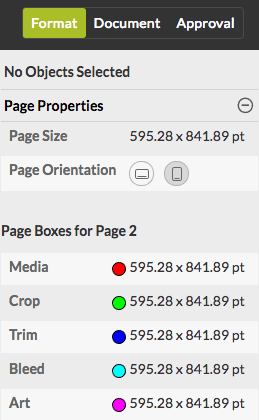
To view the properties of a particular page, such as the size, the page orientation and the dimensions of the page boxes
- In the right part of the screen, click the Format tab. There's only one category: Page Properties. It may be collapsed.
-
Click the
 button to expand the collapsed section as required.
Remember that the unit used for the page size and the dimensions of the page
boxes can be changed via the Preferences menu (see Changing the unit of measure) .
button to expand the collapsed section as required.
Remember that the unit used for the page size and the dimensions of the page
boxes can be changed via the Preferences menu (see Changing the unit of measure) .