Various flow elements allow associating email info with a job as it moves along a flow. Usually this email info must be specified as the value of a property called "email info" or "email info map". This section discusses the corresponding property editors (i.e. the dialogs shown for these properties).
Here is the property editor for "Email info":
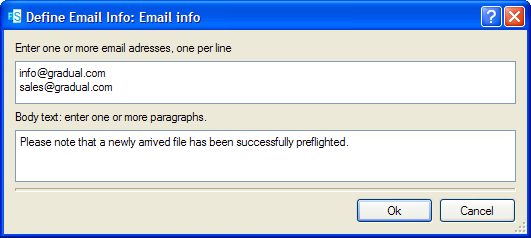
This editor allows entering a single set of email info consisting of a list of email addresses and a segment of body text. It is used, for example, for editing the "attach email info" property of a folder. If the email info is non-empty, it is associated with every job that passes through the folder.
And here is the property editor for "Email info map":
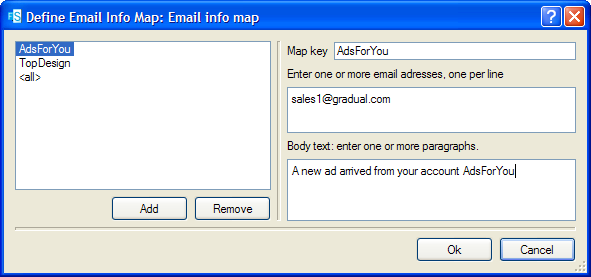
This editor allows entering a mapping table with multiple entries: each entry maps a specified "key" to a complete set of email info (and the order of the table entries is insignificant). It is used by flow elements that may receive jobs from several sources, such as mail receive and FTP receive. The intention is to allow specifying a different set of email info depending on the origin of the job.
For example, let's say that we've setup an FTP site where our customers submit jobs.
We've provided a separate subfolder for each of our customers (with the appropriate access rights). Using a single FTP receive instance in Switch, we can associate the appropriate customer's email address with each submitted job by mapping the customer's subfolder name (the "key") to the email address for the customer (the email info contained in the table entry for that key).
FTP receive always uses subfolder names as the key; other tools (such as mail receive) allow selecting the basis for the key. This is described in more detail in the following section.
In tools it is possible to have multiple key matches for the same job. For example, if a job is submitted in a nested subfolder some levels deep, FTP receive uses each of the subfolder names in the nested subfolder path as a key in the mapping table. The email info for all matches is combined and associated with the job.
If the mapping table contains an entry for the special key <all> with non-empty email info, this email info is added for all jobs regardless of their key.