The Messages pane shows the log messages issued by Switch and by the various
processes controlled by Switch. New messages are continuously added to the list
while Switch is operating. Warning and error messages are shown in color.
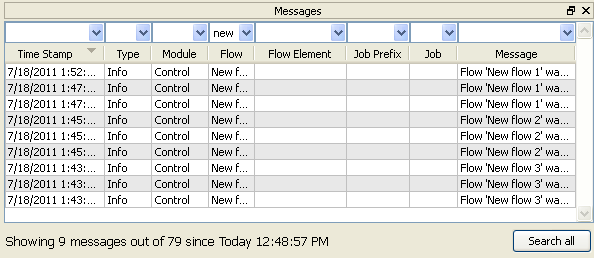
You can filter out messages that are not important to you, or change the sort order by clicking the column headers. Note that you can display more than one message pane at a time (called "Messages", "Messages 2" and "Messages 3").
For more information about using the Messages pane, refer to Viewing log messages.