The Messages pane shows the log messages issued by Switch and by the various
processes controlled by Switch. New messages are continuously added to the list
while Switch is operating. Warning and error messages are shown in color.
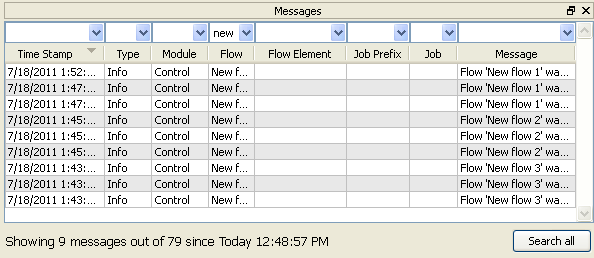
You can filter out messages that are not important to you, or change the sort order by clicking the column headers. Note that you can display more than one message pane at a time (called "Messages", "Messages 2" and "Messages 3").
From Switch 13 onwards, you can also view the log messages in a web browser. For more information, refer to Viewing log messages.