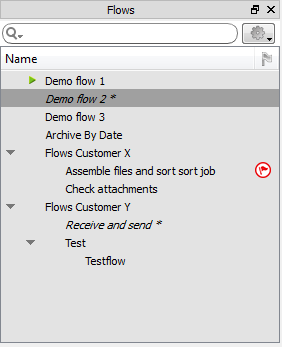
The Flows pane
The Flows pane lists all flows currently known to Switch. It allows organizing
these flows in a hierarchy of groups and subgroups, and provides a context menu for
managing flows in various ways.
Groups and subgroups
Groups and subgroups are marked with small icons, indicating whether or not the group is collapsed (so you don't see the flows) and/or the flows are activated.
| Icon | Meaning |
|---|---|
 |
This group is collapsed. |
 |
This group is expanded. |
 |
|
Example:
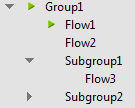
In the example below, one group with 2 subgroups has been defined.
Group1 and Subgroup1 are expanded; you can see the flows belonging to those groups.
Subgroup2 is collapsed.
Only Flow1 is activated.