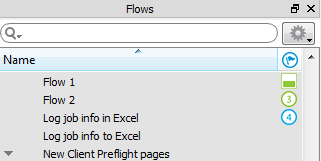
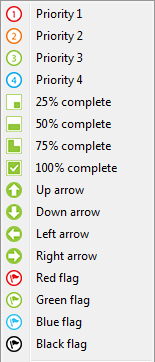
The rightmost column in the Flows pane can display a marker icon selected from a pre-defined list of icons (including colored flags, priorities, and level of completeness indicators).
The markers have no meaning to Switch. They can be useful to sort flows, for example by priority or by level of completion.
Example Flows pane with markers
Available icons
Groups
Groups only have a marker if all flows belonging to that group have the same marker. For example, if all flows in a group are marked as Priority 1, the group will be marked as Priority 1 as well.
In all other cases (if none of the flows have a marker, or they have different markers), no marker is displayed at group level.