This is an overview of the tags that can be used in the PitStopReport section in the config file (.prefs) of a regular or annotated report template.
| Tag | Description and values |
|---|---|
| ReportLayoutName | Name of the report template, which will be shown in the list of templates to choose
from. Below is an example of this list in PitStop Pro.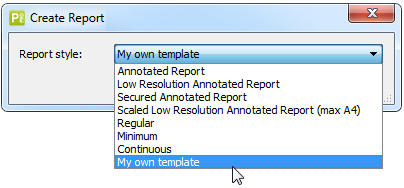 Note: If you want to use this Report in other languages, simply add the language code and
enter a value in the corresponding language. For example:
|
| ReportLayoutVersion | Specifies the version of the report.
|
| ReportLayoutType | Specifies the type of report. Use this value for annotated reports only and set it to AnnotatedReport. Otherwise, you will not see the new report in the list of reports in PitStop Pro. |
The following tags apply to regular reports only:
| Tag | Description and values |
|---|---|
| IncludeWebHelpLinks | Displays or hides icons with hyperlinks to the website set in the WebHelpURLTemplate
tag.
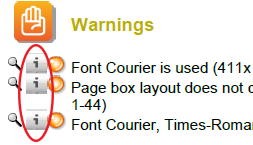 Note: You can use a
different icon as required; just add it to the
content file and make sure to enter the page number in the "WebHelpLinkIconPage"
tag (PitStopReportPDFTemplates).
|
| WebHelpURLTemplate | A custom product help URL, which will be opened when users click the info
icon. Note: Only applies if IncludeWebHelpLinks is set to "true".
|