This is an overview of the tags that can be used in the PitStopReportPDFTemplates section in the config file (.prefs) of a regular report template.
This section basically consists of 2 types of tags:
- Tags (ending with Path) that refer to the content file(s) to be used with this .prefs file. The value is a PDF file.
- Tags (ending with Page) that indicate where particular items (background, font resources) or icons can be found in the content file(s). The value is a page number.
| Tag | Description and values |
|---|---|
| PageTemplatePath | Name of the content file (PDF) that
contains the background for the customized report, for example "MyRegularReport.pdf". Note: Remember that the content and the .prefs file should be stored in the same directory,
otherwise you must use a relative path.
|
| IconTemplatesPath | Name of the content file (PDF) that contains the icons for the customized report. If you have only one content file, this is the same file as in PageTemplatePath (first tag in this table) and in FontTemplatesPath (below). |
| FontTemplatesPath | Name of the content file that contains the Japanese fonts. This is used to speed up preflight report creation for languages that use large, composite fonts, for example Japanese and Chinese. |
| PageTemplatePage | The page in the content file that contains the background for the customized report and should be used as the page template. This is usually page 1, so the value will usually be "1". |
| FontTemplatesPage | The reference page where the unembedded Japanese or Chinese fonts can be found. The font names on this page can then be used in the config file. |
Tags referring to the icons in front of the subtitles:
| Tag | Description and values |
|---|---|
| FixBigIconPage | The reference page for the icon in front of the subtitle ‘Fixes’ in the preflight report. |
| WarningBigIconPage | The reference page for the icon in front of the subtitle ‘Warnings’ in the preflight report. |
| ErrorBigIconPage | The reference page for the icon in front of the subtitle ‘Errors’ in the preflight report. |
| FailureBigIconPage | The reference page for the icon in front of the subtitle ‘Critical Failures’ in the preflight report. |
| SignOffBigIconPage | The reference page for the icon in front of the subtitle ‘Signed off items’ in
the preflight report. Note: Remember that the "Signed off items" category is only
displayed if UseSignOffCategory is enabled. See PitStopReportPreflightChapter.
|
Tags referring to the icons in front of the warnings, fixes, ...:
| Tag | Description and values |
|---|---|
| FixSmallIconPage | The reference page for the icon in front of a fix in the preflight report. |
| WarningSmallIconPage | The reference page for the icon in front of a warning in the preflight report. |
| ErrorSmallIconPage | The reference page for the icon in front of an error in the preflight report. |
| FailureSmallIconPage | The reference page for the icon in front of a failure in the preflight report. |
| SignOffSmallIconPage | The reference page for the icon in front of an item that has been signed off in the
preflight report. Note: Remember that the "Signed off items" category is only displayed if
UseSignOffCategory is enabled. See PitStopReportPreflightChapter.
|
Other icons:
| Tag | Description and values |
|---|---|
| ObjectLinkIconPage | Page that contains the icon with the hyperlinks to the objects. 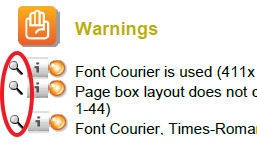 |
| WebHelpLinkIconPage | Page that contains the icon for the hyperlinks to the product help pages. 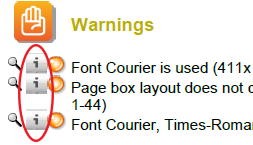 Note: Remember that IncludeWebHelpLinks must be set to true. See PitStopReportPDFTemplates.
|